Amazon Image Size Requirements: The Numbers That Actually Matter
The Dimension Rule That Catches Everyone
Your 900x900 image uploaded and went live. It does not zoom.
Size is one rule among several, and it is the one most often quoted alone. For the full set — background, fill, aspect ratio, format, text — see the Amazon image requirements guide.
At 900 pixels, shoppers cannot zoom to inspect the detail.
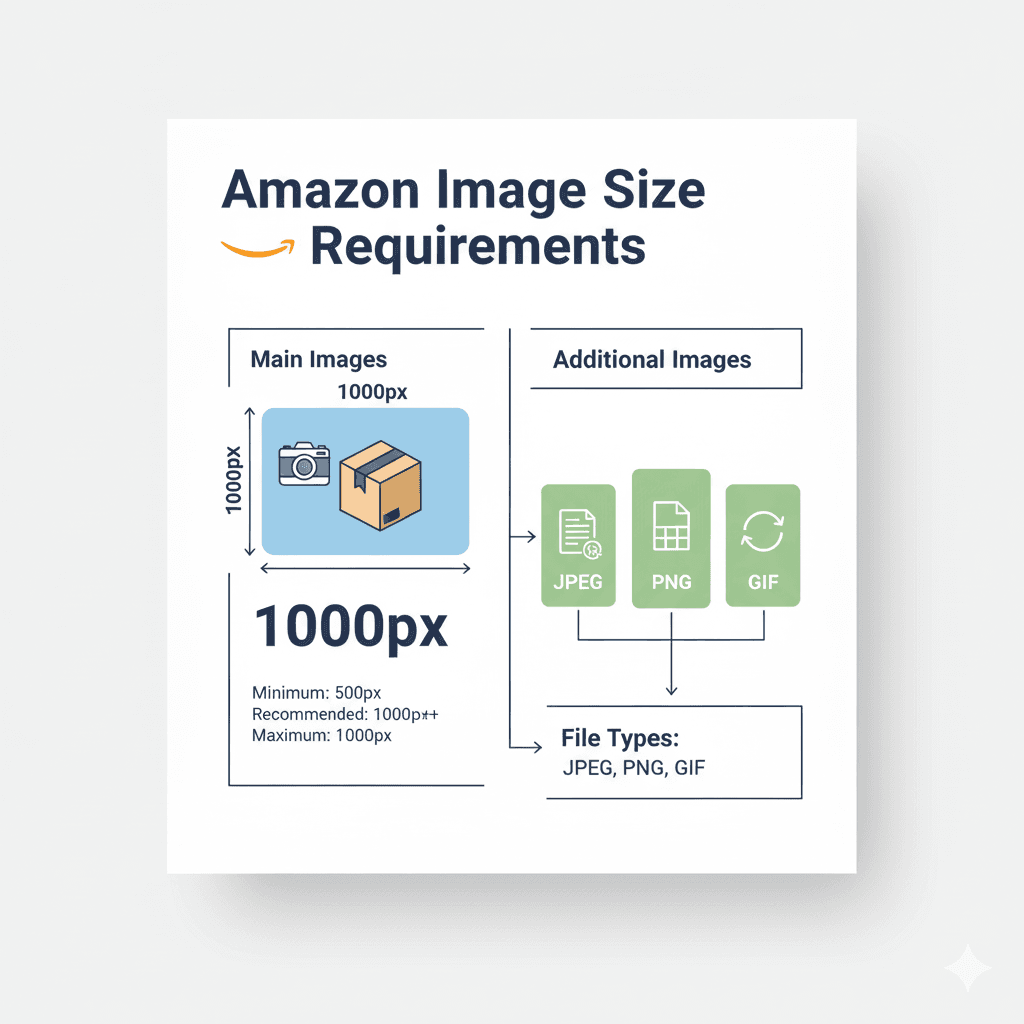
Most advice about Amazon image sizes gives you a single number. There are several, they do different jobs, and both the minimum and maximum affect upload acceptance:
| Threshold | Size (longest side) | What it actually governs |
|---|---|---|
| Upload floor | 500px | "Images below 500 pixels on the longest side cannot be uploaded." Below this fails the minimum-size requirement. |
| Zoom + Amazon's recommendation | 1,000px | "We recommend 1,000+ pixels for the best customer experience. Images with 1,000+ pixels on the longest side enable the zoom function." |
| Our recommendation | 2000x2000 | Target for new photography; our checker recommends at least 1600px |
| Maximum | 10,000px | Hard upper limit |
Quoted from Amazon Seller Central, Product image guide → Product image specifications.
Note where the gap is. From 500 to 999px, an image can upload and go live but does not zoom. Lower resolution limits the detail shoppers can inspect.
In this guide, we'll cover:
- What "failing" actually means on Amazon — and why one kind is invisible
- Each size threshold, what it governs, and which one your image is nearest
- Why zoom matters
- How to resize without destroying quality
- How to size different product shapes
- File size and format trade-offs
Let's make sure your images pass — not just upload.
What "Failing" Actually Means
Most guides treat this as binary: your image passes, or Amazon rejects it. That framing misses an image that uploads but does not zoom.
Here are three possible outcomes.
1. Rejected at upload. The image never goes live. The upload fails with an error, such as "Image dimensions too small", you fix it, you move on. Annoying, but self-correcting — the feedback loop works (Amazon Image upload errors).
2. Live but degraded. The image uploads, the listing looks fine, and zoom is unavailable below 1,000px. Check the dimensions separately. Shoppers simply can't zoom (Amazon Product image guide).
3. Live, then pulled. The image passes upload but breaks a content rule, such as the background, added text or a product too small in the frame, and is caught later. Amazon's Image suppression page lists these reasons, and its community manager team has said detection "may take some time" (Amazon Image suppression; Amazon forum: enforcement timing).
An image can meet the minimum size while falling below the zoom threshold. The rest of this guide is organised around telling you which threshold you are nearest, and what it costs you to be under it.
Amazon's Official Image Size Requirements
The Two Numbers: 500 to Upload, 1,000 to Zoom
Amazon states both plainly, and they do completely different jobs.
500 pixels on the longest side is the floor. Below it, in Amazon's words, images "cannot be uploaded" at all. Images can also fail the 10,000px maximum and other upload checks (Amazon Product image guide).
1,000 pixels on the longest side is what Amazon recommends, and what turns on zoom: "Images with 1,000+ pixels on the longest side enable the zoom function."
Both are measured on the longest side only — there is no separate rule for the short side.
This means:
- 1200x1200 = uploads, zooms ✓
- 1200x400 = uploads, zooms ✓ (longest side is 1200)
- 999x999 = uploads, never zooms ✗ (one pixel short)
- 499x499 = cannot be uploaded ✗
At 999px, an image meets the minimum-size requirement and can upload and go live, but it does not zoom.
Asking "did it upload?" alone does not establish zoom eligibility or compliance.
Why We Recommend 2000px, Not 1,000px
You will see 1600px quoted all over the internet as "Amazon's recommendation." For most products it is not — Amazon's general recommendation is 1,000+ pixels. The one place we found 1,600 in Amazon's own words is clothing: its Spring 2021 clothing guide lists "At least 1,600 pixels in height" as a requirement for clothing images. (Amazon Product image guide; Amazon clothing imaging guide (2021)) It is worth being precise about which numbers come from Amazon and which are somebody's opinion.
Our checker recommends at least 1600px. For new photography, this guide suggests 2000x2000px. Both are ComplianceKit recommendations.
1,000px enables zoom. A sharp, higher-resolution source may let shoppers inspect more detail. Resolution alone does not guarantee useful detail.
If you only remember one number, remember 2000.
Maximum Size: 10,000 Pixels
Amazon's upper limit is 10,000 pixels on the longest side (Amazon Product image guide).
This means:
- 10,000x10,000 = PASSES ✓
- 10,001x5000 = FAILS ✗
Most sellers never hit this limit. But if you're uploading ultra-high-res images (professional photography at 5000px+), check that you're under 10,000px.
Why Zoom Matters
When your image is 1,000 pixels or more on its longest side, Amazon enables zoom, and shoppers can inspect the detail: fabric weave, button labels, ingredient lists (Amazon Product image guide).
Amazon says zoom sells. Its Spring 2021 clothing guide: "When you submit a high-resolution image, customers can zoom in on your product, and this has been proven to increase customer trust and sales." (Amazon clothing imaging guide (2021)).
The mechanism is easy to see on your own listings. A shopper who cannot zoom cannot resolve the question they came to answer: is the stitching neat, is the port the right shape, is that colour actually beige. Zoom is what turns a photograph into an inspection.
Common Image Size Mistakes
Each of these maps to one of the three failure modes above. Check dimensions even when an image uploads successfully.
Mistake #1: Too Small for Zoom (Mode 2)
The Problem:
You photograph your product with a phone camera set to "medium quality" (saves space). The resulting image is 800x800 pixels.
You upload to Amazon. It goes live.
Check the dimensions separately. At 800px the image does not zoom, which limits the detail shoppers can inspect (Amazon Product image guide).
The Fix:
- Always shoot at highest resolution
- Check image dimensions BEFORE uploading
- If your source image is too small, you'll need to re-shoot or find a higher-res version
Don't try to upscale a small image. It creates pixelation and looks worse.
Mistake #2: Extreme Aspect Ratio — Costs You Quietly (Mode 2)
The Problem:
Your product is very wide (like a yoga mat). You upload an image that's 5000x1200 pixels.
The display area: shown whole in a square space, a 5000x1200 image fills less than a quarter of the height. Adding white padding alone does not enlarge the displayed product.
Amazon’s general product-image guide gives no aspect-ratio requirement. Check category guidance separately. Square is the shape to use, and the reasons are in Amazon's aspect ratio rules (Amazon Product image guide).
The Fix:
Place the product on a square canvas sized from its longest side, about 10% larger. The white space above and below has to be pure white to pass the white background requirement. Under ComplianceKit’s longest-side method for checking the 85% fill guideline, white space beside the shorter side does not reduce fill. Amazon does not specify this measurement method. White space added along the longer side reduces span.
Mistake #3: A File Far Bigger Than It Needs to Be
The Problem:
Your image is 3000x3000 pixels, saved as PNG. A detailed photo like that can run to several megabytes: one we measured was 6.8 MB as PNG and 322 KB as JPEG.
The Fix:
- Use JPEG for most images. It is the format Amazon's guides prefer, and far smaller (Amazon Product image guide).
- Use a lossless format (PNG, or TIFF where your category lists it) only for a main image whose background must be exactly 255. JPEG leaves near-white pixels around the product; see image format requirements
- Don't upload far larger than you need: past what shows detail at zoom, extra pixels only add weight
How to Resize Images Without Losing Quality
Rule #1: Never Upscale Small Images
DON'T DO THIS:
Take an 800x800 image and resize it to 2000x2000.
Why?
You're not adding detail. You're just stretching pixels, which creates:
- Blurriness
- Pixelation
- Artifacts
Amazon's Product image guide says it plainly: "Do not artificially enlarge small images." Blurriness and pixelation are also on its list of suppression reasons (Amazon Product image guide; Amazon Image suppression).
The Fix:
Always start with a high-resolution source image. If you don't have one, re-shoot the product.
Rule #2: Shoot/Create at High Resolution From the Start
Best practice:
- Professional photographer: Shoot at 3000px+ resolution
- Phone camera: Use highest quality setting (12MP+ produces ~4000x3000 images)
- Graphic design: Create mockups at 3000x3000, then export smaller
Then resize DOWN to 2000x2000 for Amazon.
Downsizing preserves quality. Upsizing destroys it.
Rule #3: Use Proper Resizing Tools
Good tools:
- Photoshop: Image → Image Size → Set to 2000x2000, Resample: Bicubic Sharper
- GIMP (free): Image → Scale Image → Set dimensions, Interpolation: Cubic
- Online tools: TinyPNG, Squoosh.app (compress while resizing)
Bad tools:
- Windows Paint (low-quality resizing)
- Stretching in Word/PowerPoint (creates distortion)
Rule #4: Never Stretch the Product
Resize proportionally. A 3000x4000 photo forced to 2000x2000 distorts the product.
To make a tall or wide photo square, resize it proportionally, then add white space to the short side. The aspect ratio guide explains why square is the shape to use, and why white space on the short side does not reduce fill under ComplianceKit’s span method.
Sizing Different Products
Our recommendation is the same for every product shape: a square canvas, with its side about 10% longer than the product's longest side, so the product spans about 90% of the frame using our longest-side method.
- Square products (boxes, plates, board games): a 2000x2000 canvas with the product at about 1800px
- Tall products (bottles, lamps, vases): the product's height sets the canvas, and the white space either side doesn't count against fill
- Wide products (keyboards, rugs, wall art): the width sets the canvas, and the white space above and below doesn't count
- Small products (rings, memory cards): shoot close up so the product itself spans the frame, not its physical size
Amazon publishes no aspect ratio rule for general product images, so these are our recommendations rather than Amazon's. Some category guides do set shapes: Amazon's clothing image guidelines ask for a main image aspect ratio "close to 3:4". (Amazon Product image guide; Amazon Image guidelines for clothing) See category requirements.
File Size Considerations
None of the Amazon image guides we could read publicly states a file size limit, so we don't quote one. Check the current figure in Seller Central. ComplianceKit accepts uploads up to 10 MB (Amazon Product image guide; Amazon Technical image file requirements).
Format matters more than anything else. The same detailed 3000x3000 photo was 322 KB as JPEG and 6.8 MB as PNG. The trade-off, and when PNG is still the right call for a main image, is in image format requirements.
The Other Specs on the Same Page
Size is the one everybody quotes, but Amazon's product image guide sets several other hard requirements in the same table. They are cheap to get right and cheap to get wrong.
| Requirement | Specification |
|---|---|
| File formats | JPEG (.jpg/.jpeg), TIFF (.tif/.tiff), PNG (.png), non-animated GIF (.gif). JPEG recommended. |
| Resolution | At least 72 dpi — required, not advisory |
| Colour mode | RGB preferred |
| Product fill | Product must occupy 85% of the image |
| Background (main image) | Pure white, RGB 255, 255, 255 |
Colour Mode: The Third Way to Fail Quietly
"RGB preferred" is doing more work in that table than it looks.
Amazon’s product image guide prefers RGB. CMYK images can display colour shifts. (Category guides vary: Amazon's Spring 2021 clothing guide accepts (Amazon Product image guide; Amazon Technical image file requirements; Amazon clothing imaging guide (2021)). CMYK explicitly, while its Q3 2020 Home guide says "Color palette must be sRGB".) (Amazon Home image guide (2020)). Convert to sRGB and inspect the exported file, especially if it came from a print workflow.
How to check it in ten seconds:
- Photoshop — Image > Mode. It should read RGB Color.
- Lightroom — the export panel's Colour Space setting. It should read sRGB.
- GIMP — Image > Mode > RGB.
- Preview (macOS) — Tools > Show Inspector, then the general tab.
Export as sRGB and re-upload. Amazon recommends replacing a non-compliant main image rather than deleting it (Amazon Image suppression).
File Names Are a Spec, Not a Convention
For legacy bulk naming, Amazon expects image files named product identifier + variant code + extension, separated by periods (Amazon Product image guide):
B000123456.MAIN.jpg
The identifier can be the ASIN, UPC, EAN, ISBN, GTIN or JAN. The separator matters: spaces, dashes or extra characters will stop the image uploading. Flexible naming lets you assign images after upload instead (Amazon Upload images).
Our free file name builder assembles one, or checks a name you already have.
The variant code says what the image is:
| Code | Used for |
|---|---|
MAIN |
The main image — shown in search and first on the detail page |
PT01–PT99 |
Additional angles, product in use, details, accessories |
SWCH |
Swatch shot. If none exists, the MAIN image becomes the thumbnail |
PS01–PS06 |
Safety and compliance information |
TOPP BOTT LEFT RGHT FRNT BACK SIDE |
Specific angles |
IN01–IN99 |
Interior shots, typically book sample pages |
INGR / EEGL / DTLS |
Ingredients / energy guide / multipack |
Amazon recommends at least six additional images and one video beyond the main image.
Uploading Is Not the Same as Displaying
Two things worth knowing, because they explain a lot of confusing seller experiences:
Amazon chooses which images to show. Multiple selling partners can contribute images to the same product, and Amazon selects and arranges them. Uploading yours does not guarantee it appears. Compliance is how you improve the odds (Amazon Product image guide).
Nothing is instant. A selected image can take up to 24 hours to appear on the detail page. If you fixed a size problem an hour ago and nothing changed, that may be all it is.
And a listing can be pulled. If there is no main image meeting the requirements, Amazon may temporarily remove the product from search until a compliant one is supplied. That is failure mode 3 from earlier, and it is the expensive one.
If Your Images Contain AI-Generated People
This is new and most image guides have not caught up with it. If a photorealistic person in your image was entirely generated by AI, you must tag the file before uploading: add the keyword contains-synthetic-performer to the dc:subject (XMP) field using an IPTC-compatible metadata editor. Amazon then adds a disclosure where the jurisdiction requires it (Amazon Product image guide).
You do not tag images that show real people (even if edited with AI tools), non-photorealistic people, characters from films or games, or no people at all.
The Main Image and the Other Eight Are Not Held to the Same Rules
Almost everything above describes the main image, the one that appears in search results and at the top of the listing. Amazon lets you add up to eight more, and those are governed differently (Amazon Product image guide; Amazon product listings guide; Amazon clothing imaging guide (2021); Amazon Image suppression; Amazon staff: compliant product images).
| Main image | Other images | |
|---|---|---|
| Background | Pure white, RGB 255, 255, 255 | Any background |
| Product fill | 85% of the frame | Can be zoomed in or out, but not too small |
| Added text and graphics | Not allowed | Allowed, with limits |
| Props and context | Not allowed | Allowed, if it's clear what's included |
| Size and zoom threshold | Same rules | Same rules |
The size rules do not relax. An image under 1,000 pixels on the longest side fails to zoom whether it's the main image or the eighth. The other images are where the detail shots live, which are the images a shopper most wants to enlarge. A 900-pixel close-up of your stitching is the worst image on the listing to have zoom switched off.
Some rules apply to every image. Amazon's suppression reasons for blur and for a product "too small in the image frame" apply to any image, not only the main one, and no image may carry customer reviews, star ratings, claims like free shipping, or Amazon's badges. The secondary image guide covers what lifestyle shots and infographics may include.
Quick Size Check Before Upload
Before uploading to Amazon, verify your images meet requirements (Amazon Product image guide):
Manual check:
- Right-click image → Properties (Windows) or Get Info (Mac)
- Check dimensions: at least 500px on the longest side to upload, 1,000px for zoom
- Check the format is JPEG, PNG, TIFF or non-animated GIF
Automated check:
Use ComplianceKit to check these measurements and recommendations:
- Dimensions (within 500–10,000px, and over 1,000px for zoom?)
- Aspect ratio (square is our recommendation)
- File format and size
- Pure white background and our 85% longest-side product span target
It does not establish complete Amazon compliance or check category rules, text or logos; see text and logo rules.
Get instant pass/fail and know exactly what needs fixing before you upload to Amazon.
Summary: Key Takeaways
✅ Upload floor: 500px on the longest side — below this, no upload (Amazon Product image guide).
✅ Zoom + Amazon's recommendation: 1,000px on the longest side
✅ We recommend: 2000x2000 for most products
✅ Maximum: 10,000px (rarely an issue)
✅ Format: JPEG for most images; PNG for a main image that must stay exactly 255
✅ Never upscale: Start with high-res source, resize down
✅ Shape: square, with white space on the product's short side
1,000 pixels turns zoom on. A sharp, higher-resolution source may show more detail.
Need to verify your images meet Amazon's size requirements? ComplianceKit checks dimensions, aspect ratio, format, background and fill in seconds. It doesn't detect text or logos.
Frequently asked
What is Amazon's minimum image size requirement?
Amazon has two: 500 pixels on the longest side is the floor, below which an image cannot be uploaded at all. 1,000 pixels on the longest side is what Amazon recommends and what enables zoom. Between those two numbers your image uploads fine and simply never zooms.
What's the best image size for Amazon product photos?
Our checker recommends at least 1600px. For new photography, this guide suggests a 2000x2000px target. Both are ComplianceKit recommendations. Amazon’s general zoom threshold is 1,000px on the longest side.
Can I upload images larger than 2000x2000 to Amazon?
Yes. Amazon accepts images up to 10,000 pixels on the longest side. Past the point where zoom shows the detail a shopper wants, extra pixels mainly add file weight.
Will Amazon reject my image if it's 999 pixels?
It will not zoom. 1000 pixels on the longest side is the zoom threshold, so at 999px an image can upload and go live without zoom. Below 500px fails the minimum-size requirement; images can also fail maximum-size and other upload checks.
Does Amazon require sRGB colour mode?
No, but it asks for RGB. Its upload tool accepts RGB or CMYK files, while its technical requirements page marks CMYK "Not preferred. Convert to RGB before uploading." because CMYK "tends to show color tonal variations when displayed on a website". Convert to sRGB and inspect the exported file.
Do alternate images follow the same rules as the main image?
The size rules do, most of the creative rules do not. Other images need the same 1,000 pixels on the longest side to enable zoom, but they may have backgrounds other than white, props, models and context. Some rules still apply to every image: no customer reviews, star ratings, shipping claims or Amazon badges, and Amazon can suppress a listing over a blurry image or a product too small in the frame in any image.
Should I use JPEG or PNG for Amazon product images?
JPEG for most images: Amazon recommends it, and a detailed photo we measured was 322 KB as JPEG against 6.8 MB as PNG. Use PNG for a main image whose background must be exactly RGB 255, 255, 255, because JPEG compression leaves near-white pixels around the product. On our published test image that was 7,082 pixels at quality 95, and none as PNG.
Can I upscale a small image to meet Amazon's 1000px requirement?
No. Amazon's Product image guide says: "Do not artificially enlarge small images." Enlarging doesn't add detail, it stretches pixels, and blurry or pixelated images are on Amazon's list of suppression reasons. Start from a high-resolution source and resize down, not up.
Sources
- Technical image file requirements
- Image suppression
- Seller Imaging Guidelines: Clothing & Accessories (Spring 2021)
- Product image guide
- 6 tips for taking product photos in 2025
- Image guidelines for clothing
- Why Doesn't Amazon Enforce Main Image Policy? (community manager reply on enforcement)
- Amazon Home Selection Image Guide (Q3 2020)
- Boost Your Sales with Amazon-Compliant Product Images (staff post)
- How to create Amazon product listings
- Upload images
- Image upload errors and display issues
David Hunter
Founder, ComplianceKit
David Hunter is a software developer who built ComplianceKit to check Amazon product images against the rules Amazon publishes — zoom thresholds, background purity, product fill. He writes about which of those specifications Amazon requires and which it only prefers, and why sellers rarely find out which is which.
Related articles
Need help checking your Amazon images?
First fix free without an account or email. A free account adds 3 lifetime fixes.