Etsy Product Image Requirements
The Short Answer
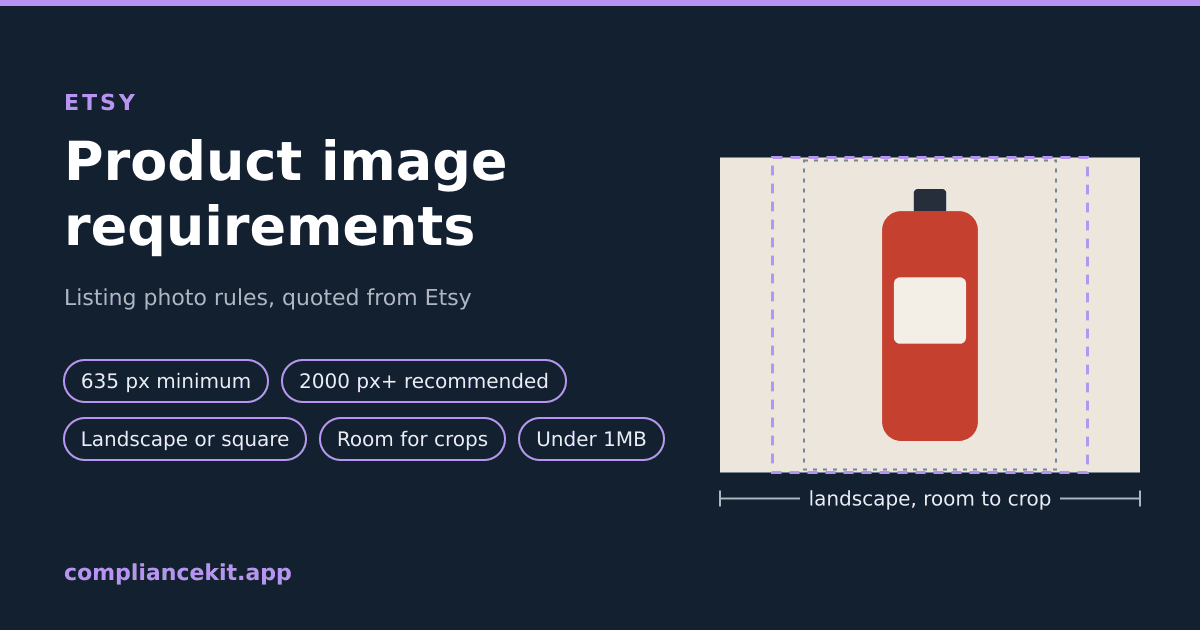
Etsy's help page, Requirements and Best Practices for Images in Your Etsy Shop, says: "We recommend your listing photos have a width and height of at least 2000 pixels or more. Your first listing photo should have a width and height of at least 635 pixels to avoid showing up lower in searches." The first photo "should be horizontal (landscape) or square", and Etsy wants space around the product so its thumbnails can crop it.
| Rule | What Etsy says | Etsy's word |
|---|---|---|
| Minimum size | "Your first listing photo should have a width and height of at least 635 pixels to avoid showing up lower in searches." | "should" |
| Recommended size | "We recommend your listing photos have a width and height of at least 2000 pixels or more." | "recommend" |
| Shape | "The first photo in a listing should be horizontal (landscape) or square." | "should" |
| Room for crops | "Make sure that your thumbnail images have enough of a border that they can be cropped to square, portrait, and landscape thumbnails without losing some of the product." | "Make sure" |
| File size | "Images larger than 1MB in file size may not finish uploading" | "may not finish uploading" |
| File type | "All images in your shop should be one of these file types: .jpg, .gif, .png, .svg, or .heic." | "the only image file types Etsy supports" |
| Transparency | "Animated .gif files & transparent .png files are not supported." | "not supported" |
| Colour | "We convert images to use the sRGB color profile" | Etsy converts |
| Background | Not stated |
Etsy's page states no background colour, no fill percentage, and no maximum pixel size. Where this guide says what ComplianceKit does, that is our tool's behaviour, not Etsy's rule.
This guide covers:
- Each rule, quoted from Etsy's page
- Why Etsy wants roughly the opposite of Amazon's framing
- What the page doesn't say
- How to check an image, and how ComplianceKit fixes one for Etsy
Where These Rules Come From
Every rule and quotation here is from one page in Etsy's Help Center: Requirements and Best Practices for Images in Your Etsy Shop, which we read on October 3, 2026.
The page covers every kind of shop image: listing photos, logos, banners and more. This guide is about listing photos only. Banner and logo sizes on the same page don't apply to them.
The page is mostly "should" and "recommend". The firm statements are about files: which types Etsy supports, and what it does with transparency.
Size: 635 Pixels for the First Photo, 2000 Recommended
"We recommend your listing photos have a width and height of at least 2000 pixels or more. Your first listing photo should have a width and height of at least 635 pixels to avoid showing up lower in searches."
Two numbers, two strengths:
- 635 pixels, on both width and height, for the first photo. Etsy says "should" and gives the reason: "to avoid showing up lower in searches". The page doesn't say an image below 635 is refused.
- 2000 pixels or more, on both sides, for all listing photos. That is a recommendation.
Start large rather than enlarging. Etsy's own words: "If you decrease the size of an image, it won’t lower the resolution. However, if you increase the size of an image, you may lose resolution and pixelation may occur." It also warns: "Images may appear less sharp after being uploaded due to compression of the image files."
Shape: Landscape or Square, and Etsy Leans Landscape
"The first photo in a listing should be horizontal (landscape) or square. This ensures that the center focal point of the image appears in the cropped thumbnail views."
So the shape to avoid for the first photo is portrait (taller than wide). The first photo also sets the pattern: "Your first listing photo also dictates the shape of the photos that follow."
The thumbnail advice on the same page goes further than "or square":
"Avoid square crops. Upload horizontal or landscape images."
And: "Taking horizontally oriented picture means you’re able to use more of the available space within the thumbnail frame. Vertical images will require more information to be cropped out."
The page allows square for the first photo and, a few lines later, advises against square crops. Landscape satisfies both.
Room Around the Product: Etsy's Key Point
Etsy shows the same listing image in different shapes in different places, and crops it to fit:
"Make sure that your thumbnail images have enough of a border that they can be cropped to square, portrait, and landscape thumbnails without losing some of the product."
Its recommendations:
- "Try to capture images of your item further back than you think you’ll need. This will give you the ability to crop in without losing parts of your item."
- "Make sure the most important part of the item is focused in the center."
- "Position your image so your subject is clear in all 3 views used across Etsy."
- "Take your original picture from a far enough vantage point where you can see the entire product with extra negative space around your product."
Etsy gives no percentage for how much border. It also offers a "listing thumbnail adjustment tool to set and preview how your listing image may look in different places across Etsy", which is the most direct way to see the crops.
Etsy vs Amazon: Roughly Opposite Framing
If you also sell on Amazon, your main image is probably built the other way round. Amazon wants a square with the product filling most of it: its rule is 85% of the frame (see the 85% fill guide). Etsy wants:
- landscape rather than square, and
- space around the product, so a square, portrait or landscape crop doesn't cut into it.
A tight Amazon-style square can lose the edges of the product when Etsy crops it to a landscape thumbnail, because there is nothing to spare above and below. So don't reuse an Amazon main image on Etsy unchanged: re-shoot or re-frame it wider.
Background: Etsy States No Rule
Etsy's image page has no background colour rule. It doesn't ask for white, or any other colour. That is a real difference from Amazon, Walmart and TikTok Shop, which all ask for white main images (see Walmart product image requirements and TikTok Shop product image requirements).
So on Etsy the background is your choice. The one background problem Etsy does name is transparency, below.
File Size: Under 1MB to Upload Reliably
"Images larger than 1MB in file size may not finish uploading, especially on a slower internet connection."
Etsy words this as a risk, not a hard limit: "may not finish uploading". Its page states no maximum file size. A JPEG is usually the easiest way to stay under 1MB at 2000 pixels; a PNG of the same picture is usually larger.
File Types and Transparency
"All images in your shop should be one of these file types: .jpg, .gif, .png, .svg, or .heic. These are the only image file types Etsy supports."
"Animated .gif files & transparent .png files are not supported. If a file contains transparency, the transparent parts of the image will appear black on Etsy."
That second point catches cut-out product images. A PNG with a transparent background, the kind background-removal tools often produce, will show a black background on Etsy. Fill the transparent areas with a colour before uploading.
WEBP, TIFF and BMP are not on Etsy's list.
Colour Profile
"If your image appears in the wrong colors on Etsy.com, convert your images to sRGB using an image editing software before uploading to ensure that the colors you see on the site will match the originals. We convert images to use the sRGB color profile (CMYK color profile is for print only)."
What Etsy's Page Doesn't Say
So you don't go looking for a number that isn't there:
- No background colour. Not white, not anything.
- No fill percentage or border size. Only "enough of a border".
- No aspect ratio number. Only landscape or square, and "Avoid square crops."
- No maximum pixel size and no hard file size limit. 1MB is where uploads "may not finish".
- No content rules on this page about text, logos or watermarks on listing photos.
How to Check an Etsy Image
By hand:
- Size: is the first photo at least 635 pixels wide and high? Ideally 2000 or more on both sides?
- Shape: is it landscape (or at least not portrait)?
- Room: is there clear space around the product on every side, enough to crop to a square, a portrait and a landscape without cutting the product?
- File: .jpg, .gif, .png, .svg or .heic, ideally under 1MB, with no transparent areas and no animation.
With ComplianceKit: open the checker with Etsy selected and upload the image. No account is needed. Each rule is quoted from Etsy's page, and the result keeps Etsy's required and recommended rules apart: a missed requirement is marked Fail, a missed recommendation Fix.
- Dimensions: at least 635 pixels on both sides, and 2000 or more recommended (Fix if not).
- Shape: landscape or square (Fix if portrait).
- File size: 1MB or less (Fix if over, since Etsy says "may not finish uploading").
- Format: .jpg, .gif, .png, .svg or .heic (Fail if not).
- Transparency: Fail if the image has transparent areas, which Etsy shows as black.
- Background and fill: shown for information only, because Etsy states no rule for either.
It does not check for text, logos, borders or watermarks, or whether a thumbnail crop would cut the product. Use Etsy's thumbnail tool for that.
How ComplianceKit Fixes an Image for Etsy
This is our tool's behaviour, not an Etsy rule. ComplianceKit's fix for Etsy cuts the product out and centres it on a 2667 x 2000 landscape JPEG: over Etsy's 2000-pixel recommendation on both sides, and under 1MB (if needed, it lowers the JPEG quality, then the size). The product's longest side is scaled to 80% of the image height, which leaves space on every side for Etsy's square, portrait and landscape crops.
The background is white. That is ComplianceKit's choice, not an Etsy requirement: Etsy states no background colour. Because the product is placed on a solid canvas, any transparent areas in the original are filled white, so they can't show black on Etsy. The first fix is free.
Check an image against Etsy's rules →
Summary
✅ First photo: at least 635 pixels wide and high, "to avoid showing up lower in searches"
✅ Recommended: "at least 2000 pixels or more"
✅ Shape: "horizontal (landscape) or square"; "Avoid square crops"
✅ Room for crops: "enough of a border" for square, portrait and landscape thumbnails
✅ File size: over 1MB "may not finish uploading"
✅ File types: .jpg, .gif, .png, .svg or .heic; no animated GIFs, no transparent PNGs
✅ Transparency: "will appear black on Etsy"
✅ Background: no rule stated
Selling on eBay too? It says 1:1 or 16:9 photos look best, and that white backgrounds are generally best: see eBay product image requirements.
Frequently asked
What size should Etsy listing photos be?
Etsy recommends listing photos at least 2000 pixels wide and high. Your first listing photo should be at least 635 pixels in width and height; Etsy says that is to avoid showing up lower in searches.
Does Etsy require a white background?
No. Etsy's image requirements page states no background colour rule at all. ComplianceKit's Etsy fix uses white, but that is our choice, not an Etsy requirement.
Should Etsy photos be square or landscape?
Etsy says the first photo in a listing should be horizontal (landscape) or square. Its thumbnail advice goes further: avoid square crops and upload horizontal or landscape images. Portrait is the shape to avoid for the first photo.
Why do my Etsy thumbnails cut off part of the product?
Etsy crops listing images into square, portrait and landscape thumbnails. It says to leave enough of a border that those crops don't lose part of the product, to shoot further back than you think you need, and to keep the most important part of the item in the centre.
What file types does Etsy accept for images?
Etsy supports .jpg, .gif, .png, .svg and .heic, and says these are the only image file types it supports. Animated GIFs and transparent PNGs are not supported.
Why does my transparent PNG show a black background on Etsy?
Etsy says that if a file contains transparency, the transparent parts of the image will appear black on Etsy. Fill the transparent areas with a colour before uploading.
What is the maximum file size for Etsy images?
Etsy's page does not state a hard maximum. It says images larger than 1MB in file size may not finish uploading, especially on a slower internet connection.
Sources
David Hunter
Founder, ComplianceKit
David Hunter is a software developer who built ComplianceKit to check Amazon product images against the rules Amazon publishes — zoom thresholds, background purity, product fill. He writes about which of those specifications Amazon requires and which it only prefers, and why sellers rarely find out which is which.
Related articles
Need help checking your Amazon images?
First fix free without an account or email. A free account adds 3 lifetime fixes.