eBay Product Image Requirements
The Short Answer
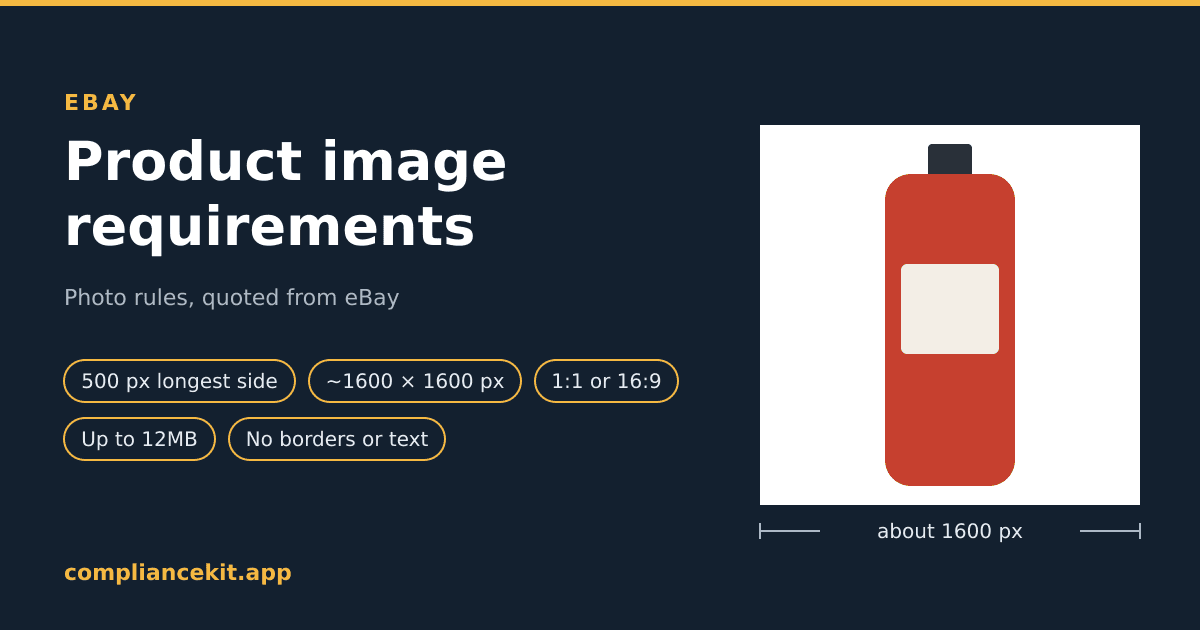
eBay's Picture policy has one size rule: "Photos must be at least 500 pixels on the longest side." It also lists what is not allowed, including "Photos with added borders", "Photos with added text, artwork or marketing material" and "Watermarks of any type, including those used for ownership attributions". Everything else about size, shape and background is a recommendation, on eBay's Adding pictures to your listings page.
| Rule | What eBay says | eBay's word |
|---|---|---|
| Minimum size | "Photos must be at least 500 pixels on the longest side." (Picture policy) | "must" |
| Recommended size | "we recommend images that are about 1600 x 1600" (Adding pictures) | "recommend" |
| Shape | "Generally, photos in a 1:1 or 16:9 aspect ratio look best in listings, search results, and other placements" | "look best" |
| Background | "White backgrounds are generally best, but for shiny or reflective items like a piece of jewelry, a darker background may work better" | "generally best" |
| File size | "Our photo uploader can take images up to 12MB in size" | Upload limit |
| Format | "accepted file formats (JPEG, PNG, GIF, TIFF, BMP, WEBP, HEIC, or AVIF)" | Accepted list |
| Added content | "Photos with added borders" and "Photos with added text, artwork or marketing material" | "not allowed" |
| Watermarks | "Watermarks of any type, including those used for ownership attributions" | "not allowed" |
| Number of photos | "you have to include at least one picture" ... "You can add up to 24 pictures." | Required: one |
eBay states no fill percentage, no RGB value for white, and no maximum pixel size. Where this guide says what ComplianceKit does, that is our tool's behaviour, not eBay's rule.
This guide covers:
- Each rule, quoted from eBay's pages, with required and recommended kept apart
- eBay's own background tool
- What the pages don't say
- How to check an image, and how ComplianceKit fixes one for eBay
Where These Rules Come From
Two pages on eBay's help site, both read on October 3, 2026:
| Page | What it is |
|---|---|
| Picture policy | The policy: what is "not allowed", and the 500-pixel rule |
| Adding pictures to your listings | How to upload, the background tool, and "eBay photo tips" |
The policy is short, and it is where the hard rules are. The Adding pictures page is mostly advice: its "eBay photo tips" section is where the 1600 x 1600, the aspect ratios and the white background come from.
On what happens if a listing breaks the policy, eBay says it "may take action consistent with applicable laws and the eBay User Agreement", and gives examples: "Removing the listing or other content, issuing a warning, restricting activity or account suspension."
Size: At Least 500 Pixels on the Longest Side
The policy says it twice. At the top: "When you create a listing or product, you must include at least one photo that is 500 pixels on the longest side". And in the policy itself: "Photos must be at least 500 pixels on the longest side."
Longest side matters. A 500 x 300 photo meets that wording; its longest side is 500.
The Tips Page Words It Differently
The Adding pictures page says: "Images should have a minimum resolution of 500 x 500 pixels but we recommend images that are about 1600 x 1600." That reads as 500 on both sides, and it uses "should". The policy, which uses "must", says longest side. ComplianceKit follows the policy's wording, but a photo of 500 pixels or more on both sides meets both.
About 1600 x 1600 Is a Recommendation
"we recommend images that are about 1600 x 1600" is the only larger number eBay gives, and it says "about". The same tips say to "Upload high resolution, larger photos that aren't blurry or pixelated. Small photos get blurry when enlarged".
eBay states no maximum pixel size. The limit it does state is on the file size, covered below.
Shape: 1:1 or 16:9 "look best"
"Generally, photos in a 1:1 or 16:9 aspect ratio look best in listings, search results, and other placements"
That is advice about how photos display, not a rule. The Picture policy says nothing about aspect ratio. A square (1:1) photo of about 1600 x 1600 matches both of eBay's recommendations at once.
Background: White Is "generally best", Not Required
eBay's tips:
"Display items in an uncluttered space against a neutral backdrop"
"White backgrounds are generally best, but for shiny or reflective items like a piece of jewelry, a darker background may work better"
So eBay does not require white, and it names a case where it suggests something else. It gives no RGB value for white either. Compare Walmart, which lists an exact "Seamless white (255/255/255 RGB)" (see Walmart product image requirements).
If you do use white, a background can look white and still not be: light boxes, paper sweeps and JPEG compression all leave near-white pixels. Our white background study measured where they come from.
eBay's Own Background Tool
eBay has a free tool for this, inside its listing flow. From the Adding pictures page, on the website: "Select the Background icon to automatically replace the background with a solid white color." In the eBay app you can "Choose White, to change the background to a solid white color", or "choose from the AI-Generated backgrounds, Studio, Surface, and Outside".
If all your photo needs is a white background, eBay's tool may be all you need. What it doesn't do is tell you whether the result is pure white, or resize and reframe the product. That is where a checker helps (see below).
File Size and Format: Up to 12MB, Eight Formats
From the Adding pictures page:
- "Our photo uploader can take images up to 12MB in size"
- "make sure you're using one of the accepted file formats (JPEG, PNG, GIF, TIFF, BMP, WEBP, HEIC, or AVIF). Also check each file size is no larger than 12MB each."
That list is wide. HEIC, the format many phones save in, is on it; so are WEBP and AVIF. The 12MB applies to each file.
What Is Not Allowed
The Picture policy's list, in full:
"The following are not allowed:"
- "Photos that don't accurately represent the item"
- "Placeholder images used to convey messages"
- "Stock photos for used, damaged, or defective items"
- "Photos with added borders"
- "Photos with added text, artwork or marketing material"
- "Watermarks of any type, including those used for ownership attributions"
The tips page adds a reason: "Do not add graphics to images such as badges, logos, copyright notices or watermarks as they can affect your listing's placement in search results".
Note the word added. The policy is about things put on top of a photo, not about a brand name printed on the item itself.
On stock photos, the Adding pictures page repeats the point: "You can’t use a catalog or stock photo if you’re listing an item as used."
The Main Photo and How Many Photos
- "When you list an item for sale on eBay, you have to include at least one picture."
- "The first picture you add, called the main photo, appears next to your item’s title in search results. You can add up to 24 pictures."
- "Your main photo should show the whole item face-on. It will be the photo that appears in search results"
- "For single items, your main photos should not include any variations"
- "For bundles, your main photo should show all items for sale"
eBay also suggests showing flaws: "If your item has any flaws, scratches or other imperfections, show clear, closeup images of them."
What eBay's Pages Don't Say
So you don't go looking for a number that isn't there:
- No RGB value for white, and no requirement to use white at all.
- No fill percentage. Only that the main photo "should show the whole item face-on".
- No maximum pixel size. The limit is 12MB per file.
- No required aspect ratio. 1:1 and 16:9 "look best"; nothing is ruled out.
- One minimum, worded two ways: "500 pixels on the longest side" in the policy, "500 x 500 pixels" in the tips.
How to Check an eBay Image
By hand:
- Size: is the longest side at least 500 pixels? Ideally, is it about 1600 x 1600?
- File: is it one of the eight formats, and 12MB or less?
- Content: no added borders, text, artwork, marketing, badges, logos or watermarks.
- Main photo: the whole item, face-on, in a photo that represents it accurately.
With ComplianceKit: open the checker with eBay selected and upload the image. No account is needed. Each rule is quoted from eBay's pages, and the result keeps eBay's required and recommended rules apart: a missed requirement is marked Fail, a missed recommendation Fix.
- Dimensions: at least 500 pixels on the longest side (Fail if not), and whether both sides are at least 1600 pixels (Fix if not).
- Shape: 1:1 or 16:9 (Fix if neither).
- Background: whether every pixel outside the product is exactly 255, 255, 255 (Fix if not). That value is our reading of white; eBay gives none.
- File size and format: 12MB or less, and one of eBay's accepted formats (Fail if not).
- Fill: it reports how much of the frame the product spans, but doesn't pass or fail it, because eBay gives no number.
It does not check for text, logos, borders or watermarks, or whether the photo represents the item accurately. Check those yourself.
How ComplianceKit Fixes an Image for eBay
This is our tool's behaviour, not an eBay rule. ComplianceKit's fix for eBay cuts the product out, places it on a pure white (255, 255, 255) square, and frames it so its longest side spans 90% of the frame. It outputs a 1600 x 1600 PNG: eBay's recommended size, in the 1:1 shape it says looks best. The first fix is free.
Check an image against eBay's rules →
Summary
✅ Size (required): "at least 500 pixels on the longest side"
✅ Size (recommended): "about 1600 x 1600"
✅ Shape: "1:1 or 16:9 aspect ratio look best"; nothing required
✅ Background: "White backgrounds are generally best"; darker can suit shiny items; no RGB value
✅ File: up to 12MB; JPEG, PNG, GIF, TIFF, BMP, WEBP, HEIC or AVIF
✅ Not allowed: added borders, added text, artwork or marketing, watermarks of any type
✅ Main photo: the whole item, face-on
✅ Photos per listing: at least one, up to 24
Selling elsewhere too? See Etsy product image requirements, which asks for nearly the opposite framing, plus Walmart and TikTok Shop.
Frequently asked
What size should eBay listing photos be?
eBay's Picture policy says photos must be at least 500 pixels on the longest side. Its Adding pictures help page recommends images of about 1600 x 1600 pixels. The 500 pixel rule is the requirement; 1600 x 1600 is a recommendation.
Does eBay require a white background?
No. eBay's help page says white backgrounds are generally best, and that for shiny or reflective items like jewelry a darker background may work better. It is a recommendation, and eBay gives no RGB value for white.
What aspect ratio should eBay photos be?
eBay says photos in a 1:1 or 16:9 aspect ratio generally look best in listings, search results and other placements. That is guidance, not a rule; the only size rule in the Picture policy is the 500 pixel minimum on the longest side.
What file formats and file size does eBay accept for photos?
eBay lists JPEG, PNG, GIF, TIFF, BMP, WEBP, HEIC and AVIF as accepted file formats, and says each file should be no larger than 12MB.
Can eBay photos have borders, text or watermarks?
No. eBay's Picture policy lists photos with added borders, photos with added text, artwork or marketing material, and watermarks of any type, including those used for ownership attributions, as not allowed.
How many photos can an eBay listing have?
At least one is required, and eBay says you can add up to 24 pictures. The first one is the main photo, which appears next to the item's title in search results.
Can eBay make my photo background white?
Yes. eBay's listing tool has a background enhancement tool. On the website, its Background icon automatically replaces the background with a solid white colour. The eBay app also offers white and AI-generated backgrounds.
Sources
David Hunter
Founder, ComplianceKit
David Hunter is a software developer who built ComplianceKit to check Amazon product images against the rules Amazon publishes — zoom thresholds, background purity, product fill. He writes about which of those specifications Amazon requires and which it only prefers, and why sellers rarely find out which is which.
Related articles
Need help checking your Amazon images?
First fix free without an account or email. A free account adds 3 lifetime fixes.