TikTok Shop Product Image Requirements
The Short Answer
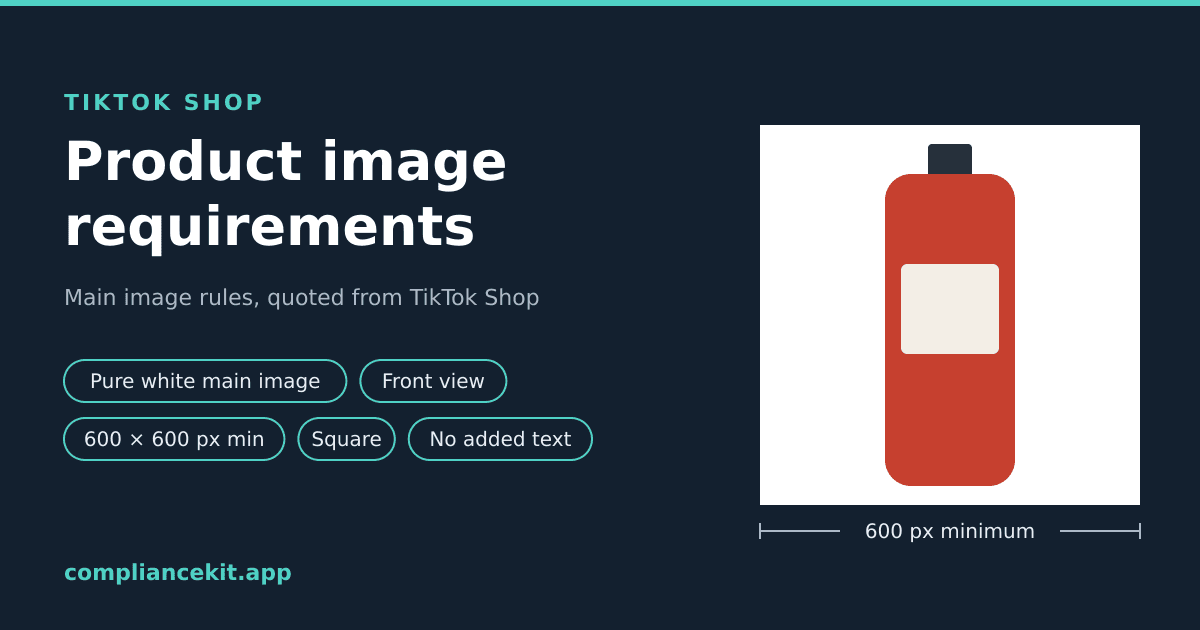
TikTok Shop's Product Listing Policy for the US says: "The main image must have a pure white background and be an objective and straightforward representation of the product for sale." The main image "must show the front physical view of the product", and "All product images must be at least 600 x 600 pixels." TikTok describes the images as square, and they must be in colour and free of added logos, text, borders and watermarks.
| Rule | What TikTok says | TikTok's word |
|---|---|---|
| Background | "The main image must have a pure white background" (Policy) | "must"; but "We recommend using a white background" in the quality guide |
| What it shows | "The main image must show the front physical view of the product." | "must" |
| Size | "All product images must be at least 600 x 600 pixels." | "must" |
| Shape | "Sellers may upload up to 9 square images." | Described as square; no ratio stated |
| Added content | "All product images must not include any added logos, text, borders, watermarks, or graphics covering the product or in the background." | "must not" |
| Colour | "Images must be in color. Black-and-white images are not acceptable." | "must" |
| Renderings | "Placeholders and digital renderings of a product are not allowed." | "not allowed" |
| Number of images | "Upload at least 5 images per product" (listing guide) | Best practice; up to 9 |
| Fill, format, file size | Not stated |
TikTok gives no RGB value for "pure white", no fill percentage, and no image file format or file size limit on these pages. Where this guide says what ComplianceKit does, that is our tool's behaviour, not TikTok's rule.
This guide covers:
- Each rule, quoted from TikTok's own pages
- Where those pages disagree with each other
- What they don't state
- How to check an image, and how ComplianceKit fixes one for TikTok Shop
Where These Rules Come From
Three pages on TikTok Shop's US seller site, each marked as applying to the United States:
| Page | Date shown | What it is |
|---|---|---|
| Product Listing Policy | 09/01/2026 | The policy itself, with "must" language |
| Product Listing: What You Need to Know | 08/10/2026 | Guidelines and best practices |
| Product Detail Pages & Listing Quality Guidelines | 07/08/2026 | How TikTok grades listings Poor, Fair or Good |
We read all three on October 3, 2026. When they differ, the policy uses the strictest words, so this guide follows it and says where the others are softer.
On what happens if a listing misses: the policy says "Listings that do not meet these standards may be removed, and sellers may face enforcement actions including violation points or removal of selling privileges".
Background: Pure White
The policy's wording:
"The main image must have a pure white background and be an objective and straightforward representation of the product for sale."
Where TikTok's Pages Disagree
The listing quality guide treats the background as a quality signal, not a hard rule:
"The first image in your PDP should use a high-quality background. We recommend using a white background."
Its FAQ says the same thing: "The first image should have a high-quality background, preferably white." And the policy's own checklist at the bottom asks only whether the main image is "on a white background".
So one TikTok page says "must have a pure white background" and another says "We recommend". A pure white background satisfies both, so that is the safe choice.
What "Pure White" Means
TikTok doesn't define it. None of the three pages gives an RGB value. ComplianceKit reads "pure white" as RGB 255, 255, 255, the value Amazon and Walmart both state, and checks for exactly that. That is our reading, not a number from TikTok.
A background that looks white is often not 255: light boxes, paper sweeps and JPEG compression can all leave background pixels below 255. Our white background study measured where they come from, and the white background requirements guide explains how to get to exactly 255.
What the Main Image Shows: The Front
From the policy:
- "The main image must show the front physical view of the product."
- "Sellers may upload up to 9 square images. 1 must be selected as the main product image."
The listing guide puts it as "First image: Show clear front view of the product", and the quality guide as "The first or main image in your PDP should clearly show the main body of the product."
Some categories have extra rules. From the listing guide: "Food products must be displayed with their respective food packaging." From the policy: "Children's swimwear and undergarments must be displayed flat and cannot feature child models or mannequins."
Size: At Least 600 x 600 Pixels
The policy: "All product images must be at least 600 x 600 pixels." The listing guide agrees: "Size: Images must be at least 600 x 600 pixels".
The quality guide words it slightly differently: "Your main PDP image should have a resolution > 600x600 pixels." Exactly 600 x 600 meets "at least" but not "greater than", so go above 600.
TikTok states no maximum and no recommended size. ComplianceKit's fix uses a larger image (see below), but that is our choice, not TikTok's.
Shape: Square
"Sellers may upload up to 9 square images." The listing guide: "You can upload up to 9 square images per product."
Both pages describe the images as square. Neither gives a ratio or says what happens to a non-square image. ComplianceKit checks that width equals height, which is our reading of "square".
No Added Logos, Text, Borders or Watermarks
The policy covers every product image, not just the main one:
"All product images must not include any added logos, text, borders, watermarks, or graphics covering the product or in the background."
The listing guide adds, for the first image: "Do not add any text, graphics, or watermarks to the first image." and "Do not add any marketing or promotion stickers. This may result in product rejection."
The quality guide's wording is again softer in one place: "The first or main image in your PDP shouldn't have too much text." In the next row it says: "The image must not contain any text, logos, watermarks, borders, graphics covering the product, or any staging with multiple product variants." Follow the stricter line: no added text at all.
Note the word added. The listing guide also says: "If your product is branded, ensure all brand identifiers (like brand names, logos, and slogans) are clearly visible in the images and videos." A logo printed on the product itself is part of the product.
Colour, Clarity and Real Photos
- "Images must be in color. Black-and-white images are not acceptable."
- "Placeholders and digital renderings of a product are not allowed. Images must include only what the customer will receive."
- "Do not use mosaics or filters (like contrast or blurring)." (listing guide)
- "Images should not be fuzzy" (quality guide)
- "Multiple images showing the same angle are not allowed." (policy)
How Many Images
TikTok allows up to 9. The listing guide says: "Upload at least 5 images per product, showing it from the front, back, and different angles to give customers a full view." The quality guide ties five to its top tier: to meet the "Good" tier for images, "you need to provide five or more images of the main product."
What TikTok's Pages Don't Say
- No RGB value for pure white.
- No fill percentage. Only that the main image should "clearly show the main body of the product".
- No image file formats and no image file size limit. The 5MB on these pages is for video: "Sellers may upload up to 1 video for each product listing, which must not exceed 5MB."
- No maximum pixel size.
How to Check a TikTok Shop Image
By hand:
- Size and shape: is the image square, and larger than 600 x 600?
- Background: use an eyedropper on the background in several places, including right next to the product. Every reading should be 255, 255, 255.
- Content: front view of the product, in colour, with no added logos, text, borders, watermarks or stickers.
With ComplianceKit: open the checker with TikTok Shop selected and upload the image. No account is needed. It checks:
- Background: every pixel outside the product must be exactly 255, 255, 255 (our reading of "pure white").
- Dimensions: at least 600 pixels on both sides.
- Shape: width equal to height.
- Fill: it reports how much of the frame the product spans, but doesn't pass or fail it, because TikTok gives no number.
It does not pass or fail format or file size, because TikTok's pages give no rule for either. It also doesn't check for added text, logos or watermarks, or whether the image shows the front of the product. Check those yourself.
How ComplianceKit Fixes an Image for TikTok Shop
This is our tool's behaviour, not a TikTok rule. ComplianceKit's fix cuts the product out, places it on a pure white (255, 255, 255) square, and frames it so its longest side spans 90% of the frame. It outputs a square PNG of at least 1600 pixels a side (at most 3000), well above TikTok's 600 x 600. The first fix is free.
Check an image against TikTok Shop's rules →
Summary
✅ Background: "must have a pure white background" (policy); "We recommend using a white background" (quality guide); no RGB value given
✅ Main image: "must show the front physical view of the product"
✅ Size: "at least 600 x 600 pixels"; the quality guide says "> 600x600"
✅ Shape: "up to 9 square images"
✅ No added logos, text, borders, watermarks or graphics
✅ In colour, no placeholders or digital renderings
✅ Images per listing: up to 9; TikTok's guides say at least 5
✅ Not stated: fill percentage, image formats, image file size
Selling on Walmart too? Its rules are more specific: see Walmart product image requirements. For eBay and Etsy, see eBay product image requirements and Etsy product image requirements.
Frequently asked
What are TikTok Shop's main image requirements?
TikTok Shop's Product Listing Policy says the main image must show the front physical view of the product and must have a pure white background. All product images must be at least 600 x 600 pixels, must be in colour, and must not include any added logos, text, borders, watermarks, or graphics covering the product or in the background.
Does TikTok Shop require a white background?
Its Product Listing Policy says the main image must have a pure white background. Its Product Detail Pages and Listing Quality Guidelines are softer: the first image should use a high-quality background, and TikTok recommends using a white background. A pure white background meets both. TikTok gives no RGB value for pure white.
What size should TikTok Shop product images be?
At least 600 x 600 pixels, according to TikTok's Product Listing Policy. Its listing quality guide says the main image should have a resolution greater than 600x600 pixels, so going above 600 meets both wordings. TikTok's pages state no maximum size.
Do TikTok Shop images have to be square?
TikTok's Product Listing Policy says sellers may upload up to 9 square images, and its listing guide says the same. Neither page gives an aspect ratio number or says what happens to an image that is not square.
What file formats and file size does TikTok Shop accept for images?
The three TikTok Shop pages we read do not state accepted image formats or an image file size limit. The 5MB limit they mention is for the one product video.
How many images should a TikTok Shop listing have?
Up to 9. TikTok's listing guide says to upload at least 5 images per product, and its listing quality guide says five or more images are needed to reach the Good tier for images.
How much of the frame should the product fill on TikTok Shop?
TikTok does not state a fill percentage. Its listing quality guide says the main image should clearly show the main body of the product.
Sources
David Hunter
Founder, ComplianceKit
David Hunter is a software developer who built ComplianceKit to check Amazon product images against the rules Amazon publishes — zoom thresholds, background purity, product fill. He writes about which of those specifications Amazon requires and which it only prefers, and why sellers rarely find out which is which.
Related articles
Need help checking your Amazon images?
First fix free without an account or email. A free account adds 3 lifetime fixes.