When White Isn't White: What JPEG, Shadows and Backdrops Do to a Product Photo's Background
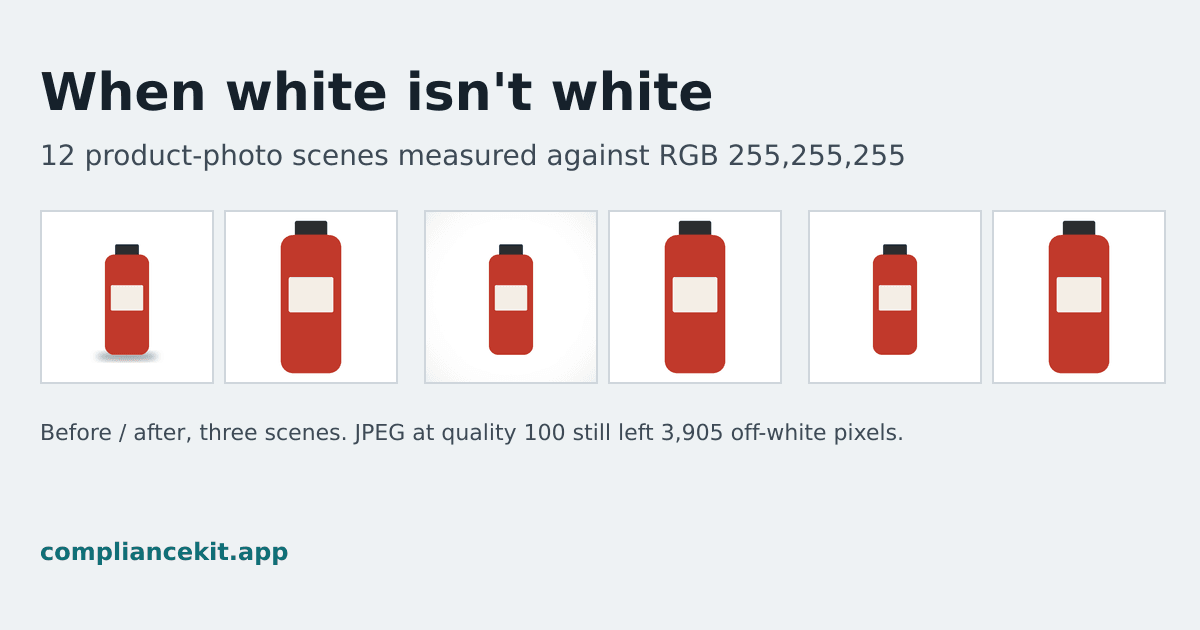
Amazon states the main image background in one line. Its shoes style guide asks for a background with "RGB color values of 255, 255, 255; hex #FFFFFF". That is a number, so it can be measured, and "looks white" is not the same test.
We wanted to know which everyday steps break it, and by how much. So we generated 12 versions of the same product photo, counted every background pixel that was not exactly 255, 255, 255, and then ran ComplianceKit's fixer on each one.
The results
| Scene | Background pixels not exactly 255 | Darkest background value | After the fix |
|---|---|---|---|
| Pure white, saved as PNG | 0 (0%) | 255 | 0 |
| Pure white, saved as JPEG quality 100 | 3,905 (0.12%) | 236 | 0 |
| Pure white, saved as JPEG quality 95 | 7,498 (0.22%) | 232 | 0 |
| Pure white, saved as JPEG quality 90 | 10,117 (0.3%) | 222 | 0 |
| Pure white, saved as JPEG quality 80 | 14,344 (0.43%) | 214 | 0 |
| Pure white, saved as JPEG quality 70 | 16,731 (0.5%) | 210 | 0 |
| Backdrop at 254, 254, 254 | 3,362,938 (100%) | 254 | 0 |
| Backdrop at 252, 252, 252 | 3,362,938 (100%) | 252 | 0 |
| Backdrop at 250, 250, 250 | 3,362,938 (100%) | 250 | 0 |
| Soft shadow under the product | 101,438 (3.02%) | 176 | 0 |
| Light-box falloff to 240 in the corners | 1,466,112 (43.6%) | 240 | 0 |
| Pure white, through a Display P3 round trip | 0 (0%) | 255 | 0 |
The full numbers, with canvas size and library versions, are in results.json.
What the numbers say
JPEG never kept the white exact, at any quality. The off-white pixels sit in a thin band around the product, where the image changes from product to background. JPEG stores an image in small blocks and approximates the colours in each one, and blocks that contain an edge carry some of the product's colour into the white next to it. Raising the quality shrinks the band: 16,731 pixels at quality 70, 3,905 at quality 100. It never reached zero. Saved as PNG, the same image kept all of its white.
A backdrop that looks white fails completely. At 254, 254, 254 the difference from pure white cannot be seen on screen, yet every background pixel fails an exact check. A white sweep that is a little underexposed lands here. Brightening the photo until the backdrop reads 255 fixes this case, as long as the product itself is not blown out.
Shadows and uneven light fail in patches. A soft shadow under the product touched 3% of the background, with values as dark as 176. Light falling off toward the corners of a light box touched 43.6%, all of it between 240 and 254, which is hard to see by eye.
Colour profiles were not the problem. Tagging the image as Display P3 and converting it back to sRGB left white at exactly 255.
What the fix did
For every scene, ComplianceKit's fixer cut the product out, centred it on a square canvas and wrote every pixel around it as exactly 255, 255, 255. Each fixed image had 0 off-white background pixels.
Two things to know about that result:
- The fix removes shadows. A contact shadow is outside the product, so it becomes white with the rest of the background. That is what an exact white background requires, but it also changes how the product sits in the photo.
- The fix also reframes the product. It fills 90% of the frame on a square canvas, so the product is larger after the fix than before. The 85% fill guide explains why.
How we measured, and what this study does not show
- Synthetic scenes. Every image is drawn by the study script: a red bottle on a 2000 × 2000 canvas. Nothing was photographed, so anyone can generate the same images.
- Exact masks. Because we drew the product, we know exactly which pixels are background. A pixel counts as background only where the product is completely absent, so the product's own soft edge is never counted against the background. The control image proves this: it measures 0.
- This measures the background, not the cut-out. In the live tool, an AI model finds the product's outline. Here we used the exact outline, so these results show what happens to the background, not how well a product is cut out. Hard cases for a cut-out, such as glass or a white product on white, are not covered.
- One product, one shape. Different products and backdrops give different counts. The direction of each result is what carries over: JPEG adds off-white pixels, near-white backdrops fail completely, shadows and falloff fail in patches.
Check your own photo
To test a real image, open it in an editor with an eyedropper and sample the background at the corners, the edges and right next to the product. Every sample should read 255, 255, 255. The white background guide walks through it, and ComplianceKit's checker counts every background pixel for you. Your first fix is free, with no account.
Reproduce it
The measurement script is public: measure-scenes.js. Save it, run npm install sharp, then node measure-scenes.js. It draws all 12 scenes and prints the off-white count and darkest value for each. With sharp 0.34.5 (libvips 8.17.3) the counts match the table exactly; another version may encode JPEG slightly differently and shift those rows a little.
The "after the fix" column comes from ComplianceKit's own fixer, which is not part of the script. To check that half, run any of your own photos through the checker and count the background of the file you download.
Frequently asked
Does saving as JPEG ruin a pure white background?
In our study it changed it at every quality we tried. A product scene with a background of exactly 255,255,255 left 3,905 off-white background pixels at JPEG quality 100, 7,498 at 95 and 16,731 at 70. The same scene saved as PNG left none.
Is a backdrop that looks white good enough?
Not if the requirement is exactly 255,255,255. A backdrop at 254,254,254 looks white on screen, but every one of its 3,362,938 background pixels failed an exact check in our study. So did backdrops at 252 and 250.
How much of a background does a soft shadow or light-box falloff affect?
In our scenes, a soft contact shadow made 3.02% of the background off-white, with values down to 176. Light falling off toward the corners, to 240, made 43.6% of the background off-white.
Does converting between colour profiles change white?
Not in our test. The pure white scene tagged as Display P3 and converted back to sRGB still had 0 off-white background pixels.
Can I reproduce these numbers?
The measurements, yes. The script that draws and measures every scene is published at compliancekit.app/study/white-background/measure-scenes.js and needs only Node.js and the sharp image library. With sharp 0.34.5 it gives the same counts; other versions may encode JPEG slightly differently. The after-the-fix column comes from ComplianceKit's own fixer, which is not public.
Sources
David Hunter
Founder, ComplianceKit
David Hunter is a software developer who built ComplianceKit to check Amazon product images against the rules Amazon publishes — zoom thresholds, background purity, product fill. He writes about which of those specifications Amazon requires and which it only prefers, and why sellers rarely find out which is which.
Related articles
Need help checking your Amazon images?
First fix free without an account or email. A free account adds 3 lifetime fixes.